
Tools
Main Redirects Checker
There are no limits. Log in.
Main Site Redirects Checker
Make sure that all possible technical duplicates of your site's pages redirect search engines to the main versions of the pages (or at least are unavailable).
Check website
20 limits
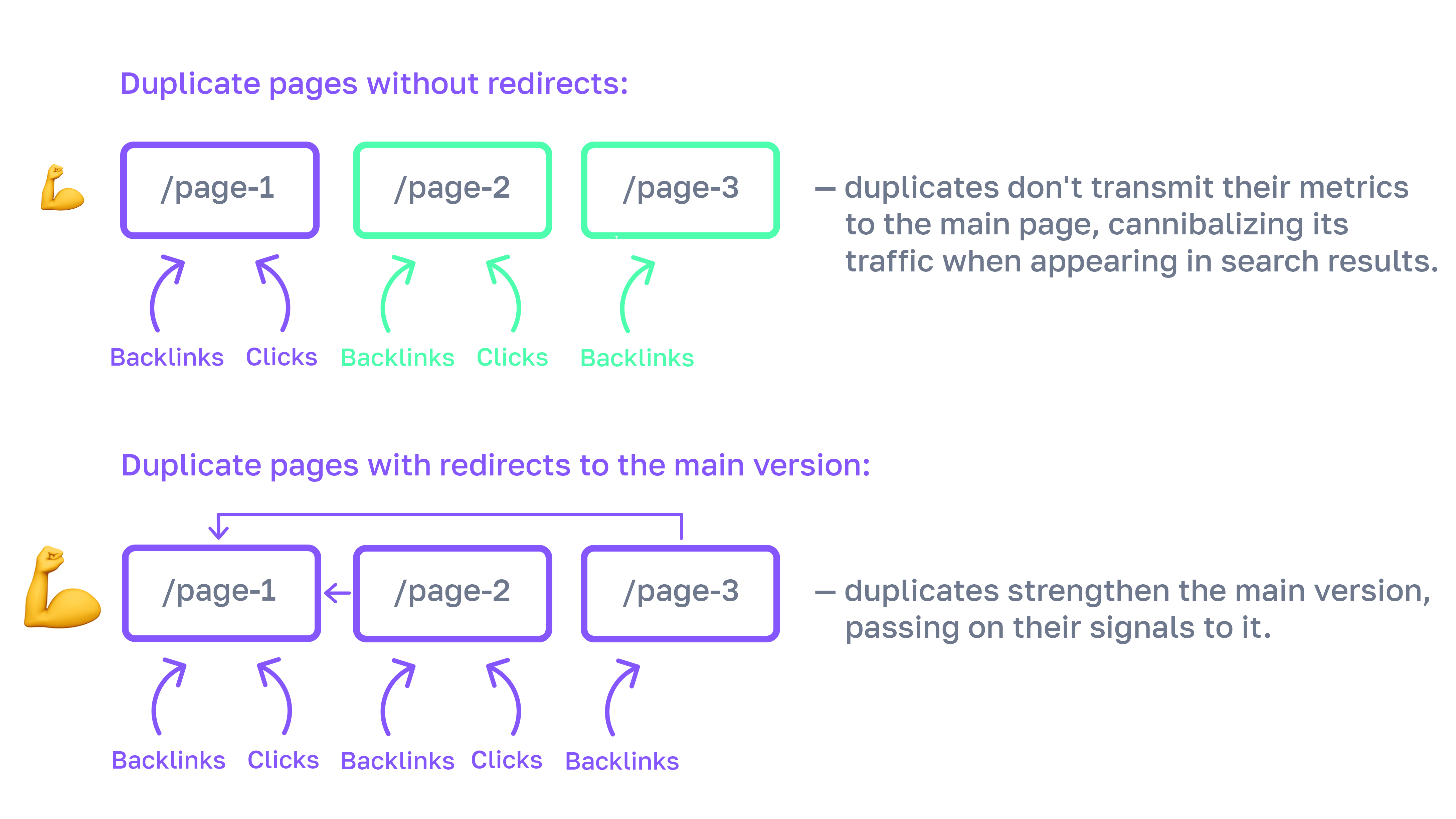
Why should duplicate pages be closed
Having a duplicate page on a website can lead to the primary version no longer showing up in search results, and instead, a non-added copy will show up. This means critical SEO metrics (such as external links and behavioral factors) are separated between these two versions, and can also lead to statistical inaccuracies.
What does this tool do
First, the tool checks the availability of the website address you entered, then iterates through and checks all site mirrors and potential duplicates of the main page. We also parse the main page's base HTML, find links to internal site pages (1st and 2nd level nesting), and check the availability of their technical duplicates.
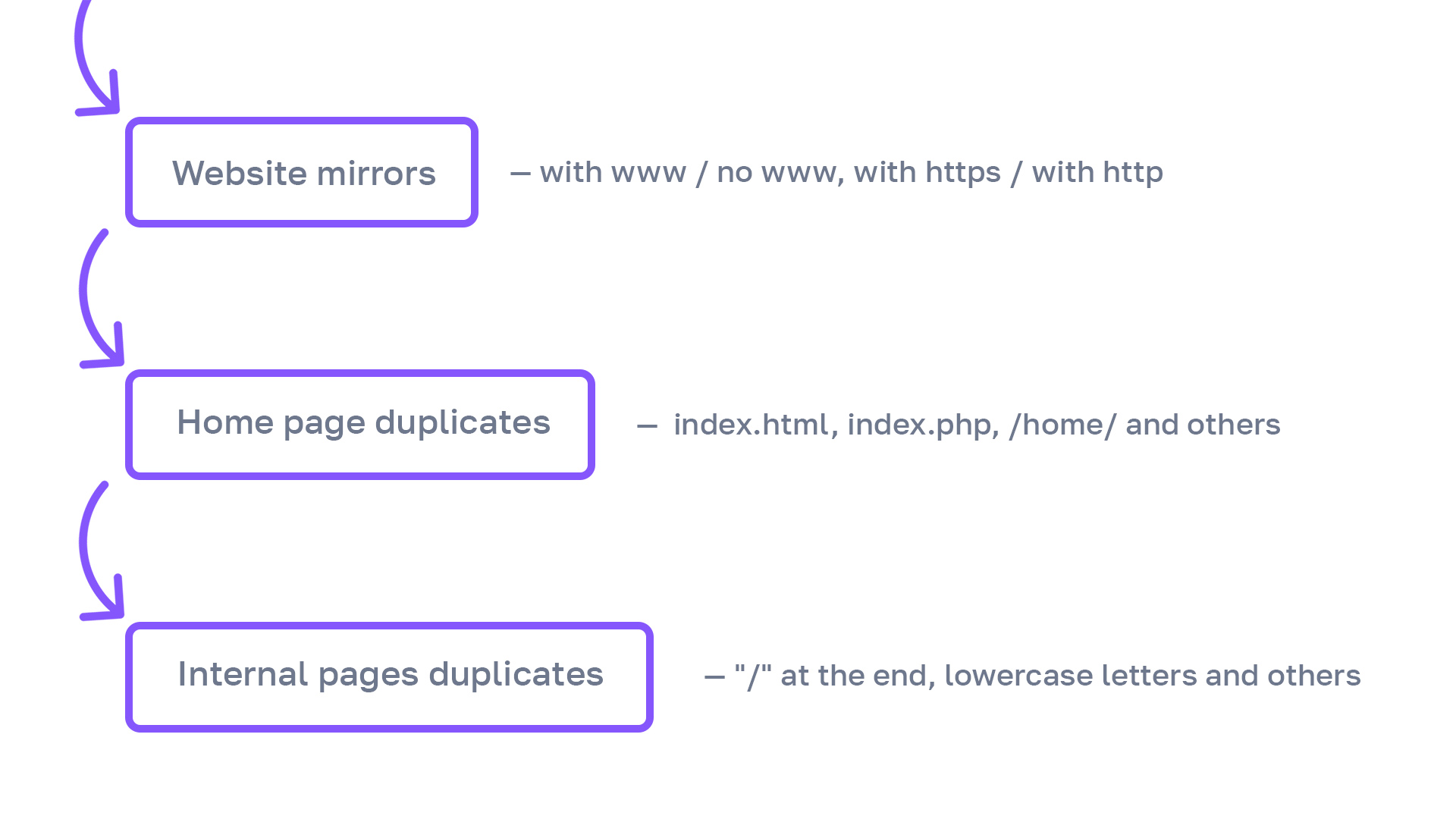
What types of technical duplicates are checked
We detect technical duplicate pages created due to various technical features of website organization:
- website mirrors with www / without www
- website mirrors with http / with https
- pages with trailing slash / without trailing slash
- directory index files (like index.html)
- uppercase letters in URLs instead of lowercase
- direct access to the server's IP address
- website routing errors (no 404 response)
- changing the order of slugs in a URL
- changing HTML format to any another
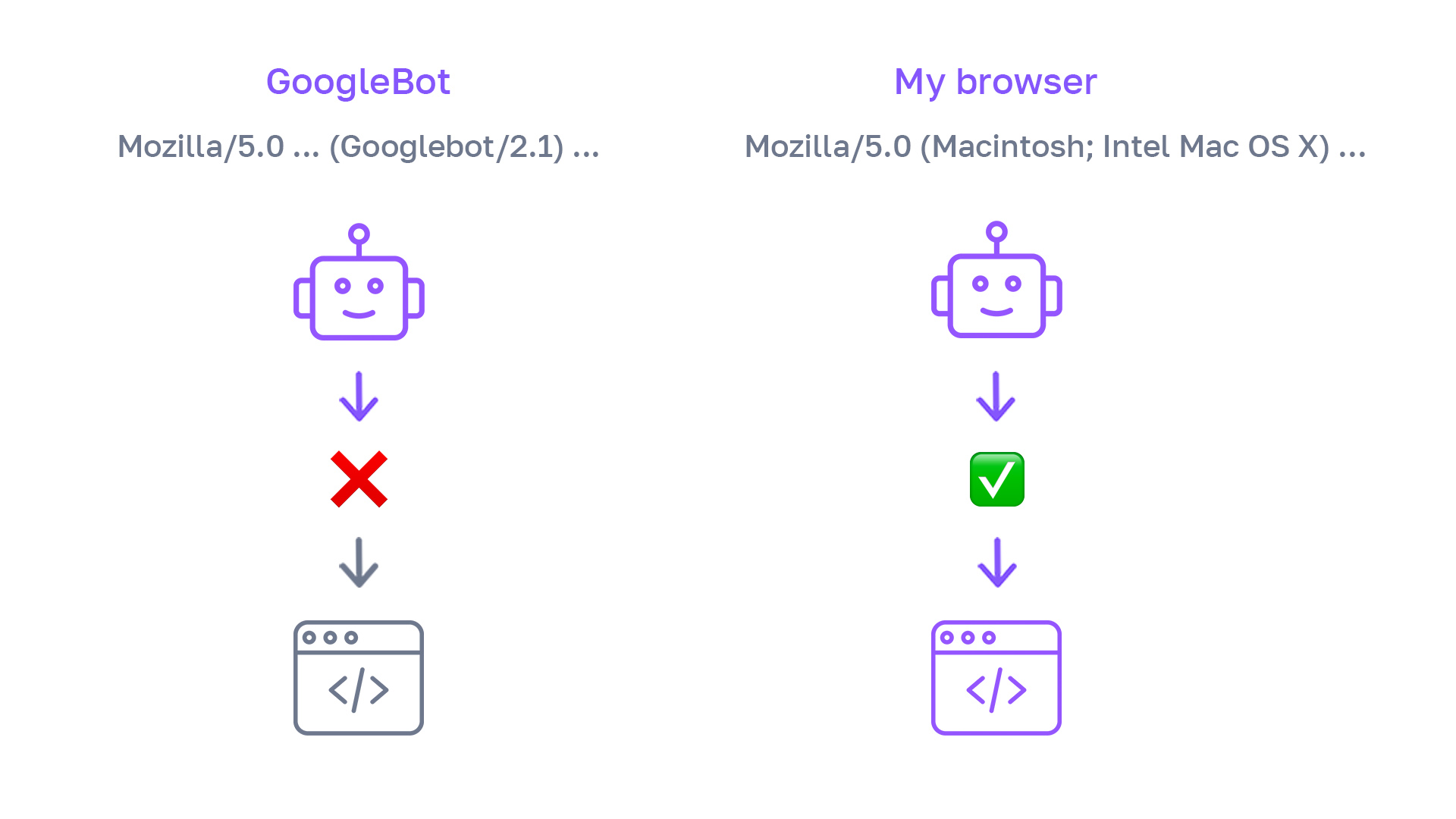
When to Change User-Agent
Sometimes, when trying to analyze a website, our bots may be blocked by the server hosting your site or by anti-scraping services such as CloudFlare. To avoid blocking, you can set the required User-Agent (bot name) value in the tool and configure a blocking exception for it.
If Errors Occur During Checking
To understand the cause of an error in the tool's operation, use this table:
| Error | Possible Cause | How to Resolve |
|---|---|---|
| Invalid website address | The server response code for the entered website address is not 200. | Open the website in a browser, wait for it to start rendering, then copy the URL from the browser's address bar and paste it into the "Main website address" field of the service. |
| Server response code not received | Either the server is responding to requests very slowly, or the website has scraping blocking configured. | Contact the website developers to remove the scraping block or migrate to a more powerful hosting (search bots will also be unable to parse your site). |
| Internal pages are not being checked | Links to internal pages are missing from the HTML of the main page. | If your site runs on JS, we recommend setting up HTML pre-rendering. The fact is that not only we, but also Yandex cannot see the internal links. |
Frequently Asked Questions
Can I check someone else's website?
Yes, we do not verify whether you are the website owner. This is done to simplify the work for service users.
However, you should not attempt to create an excessive load on a competitor's server through our tool, as it carefully manages the load created on the website during checking.
What happens if a chain of redirects is encountered?
When encountering a chain of redirects, the tool follows the logic of search engine robots: it only follows the first 5 redirects in the chain.
How to fix the errors found on the website?
Set up 301 redirects from the main website mirrors and page duplicates detected by the tool. Also, correctly configure a 404 server response for non-existent pages; our service uses test URLs ending with /4815162341/ and /a1b2c3d4/ to check for non-existent pages.
Does the tool consider rel=canonical?
Yes, the tool considers the content of rel=canonical tags and headers. However, since search engines treat this only as a recommendation rather than a strict directive (unlike a 301 redirect or 404 server response), it shows technical duplicates closed via rel=canonical as warnings (they should be double-checked manually).

I created the first build of the redirect checking tool for myself, so I wouldn't have to waste time on something that could be automated and done in two clicks. Over time, our team has made the tool so powerful that replicating its functionality manually is now almost impossible.
— Ilya Gorbachev, SEO specialist and tool author
Users of this tool also use
Hreflang Tags Tester
Check the correctness of multilingual implementation on your website pages.
Fast Rank Tracker
Check your site's search positions for your keywords.
Keyword Scoring
Collect keyword characteristics to build an optimal semantic core.
LSI Words Parser
Collect all words and phrases related to the keyword.
Regular Expression Builder
Create regular expressions to obtain the desired traffic segment in analytics services.
Text Relevance Analytics
Check which topic words your page is missing to rank among the top results.